
US Sales Tax
Designing the end-to-end experience for calculating, reporting, and filing US Sales Tax in Xero for customers with simply, complex and down right messy sales tax needs.
Product Xero Role Lead Product Designer Year 2021
PROJECT GOAL
Provide a simple, intuitive, and seamless sales tax experience for US customers on the Xero platform

DISCOVER
Sales tax is a tax on retail purchases of goods and services
In the United States, sales tax is imposed at the state and local level, rather than the federal level like Australia and the UK. Each of the 50 states has its own sales tax rates and rule and, in some cases, there may be additional local taxes imposed by cities or municipalities.
- Businesses that sell products or services are generally responsible for collecting and remitting sales tax to state tax authorities. Failure to comply with sales tax laws can result in penalties and fines.
- Sales tax is added to the purchase price of a product or service and is collected by the seller (business) at the time of the sale.
- Sales tax rates and rules and, what they tax can vary widely between states and localities, making compliance a complex and challenging task for businesses; Especially if they sell to multiple states and jurisdictions. Texas, for example, has more than 700 taxing jurisdictions in a single state.
Problem
Collecting, reporting, and filing sales tax is a compliance requirement for 70% of US based businesses. Roughly 6.3 million businesses.
Customer reality
A different sales tax calculation every time, based off the locations of their customers and the products and services they sell.
Complexity ➡ Can be extreme for some
Common sales tax scenarios customers can be faced with.

Simple
A simple sales tax experience is one where the applicable tax rate is easy to determine and the process of collecting and remitting the tax is straightforward and often repetitive each sale and period. For example, a business that sells products only in one state with a flat sales tax rate of 5% would have a simple sales tax experience.
Complex
A complex sales tax experience is one where the applicable tax rate is more difficult to determine and the process of collecting and remitting the tax is more complicated. For example, a business that sells products in multiple states, each with different sales tax rates and exemptions, would have a complex sales tax experience. In this case, the business may need to use automated sales tax software or services to help ensure compliance.
Messy
A messy sales tax experience can happen when a business uses multiple sales systems, such as a POS, e-commerce, and other invoicing systems. The business faces challenges in accurately tracking and calculating sales tax across these multiple systems, which can lead to errors in the reporting and filling of sales tax to states. For example, adding sales tax to an invoice with 30 day terms and using a POS system in store and E-commerce.
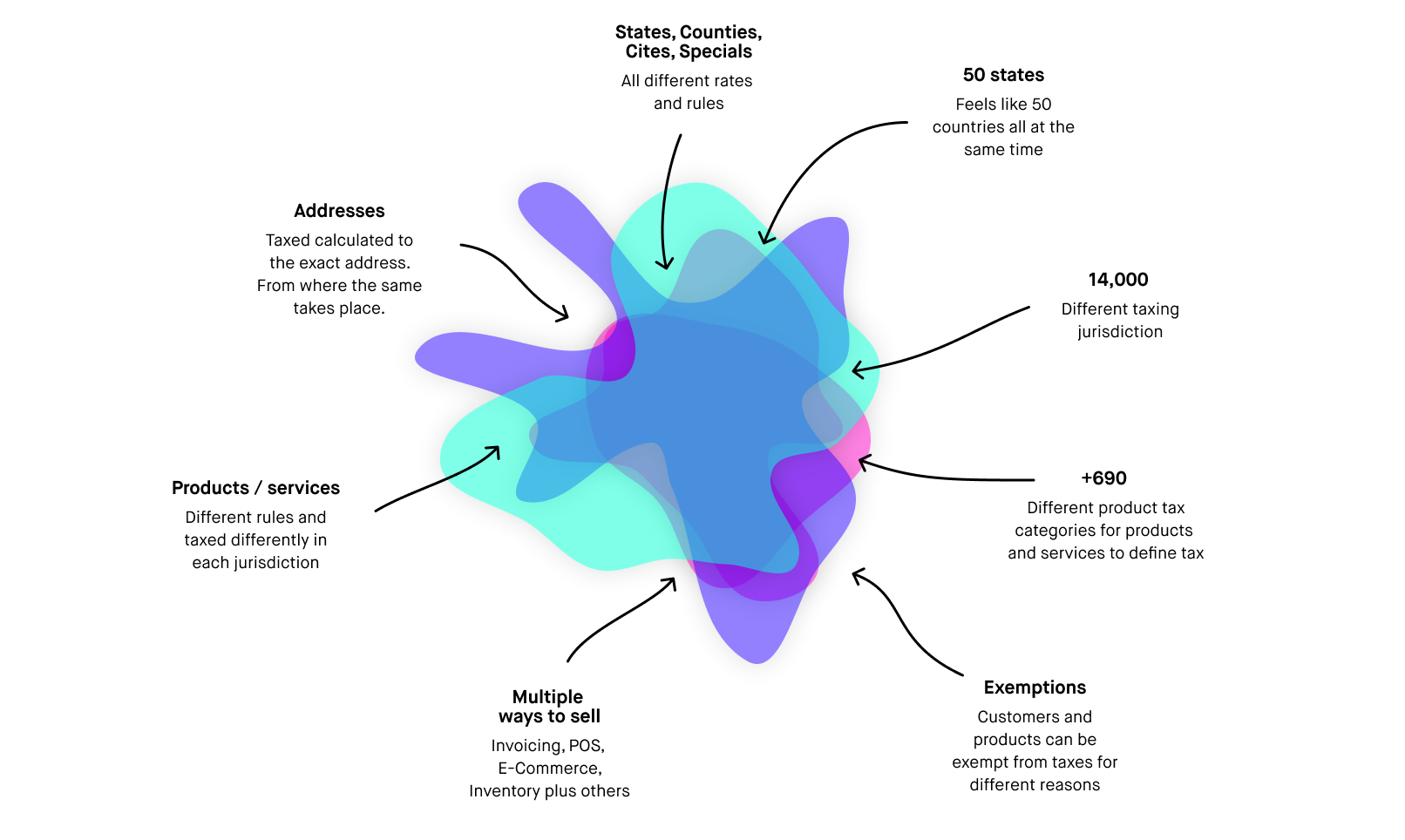
Messy Complexity
Why so messy? Customers may need to deal with all these things at once.
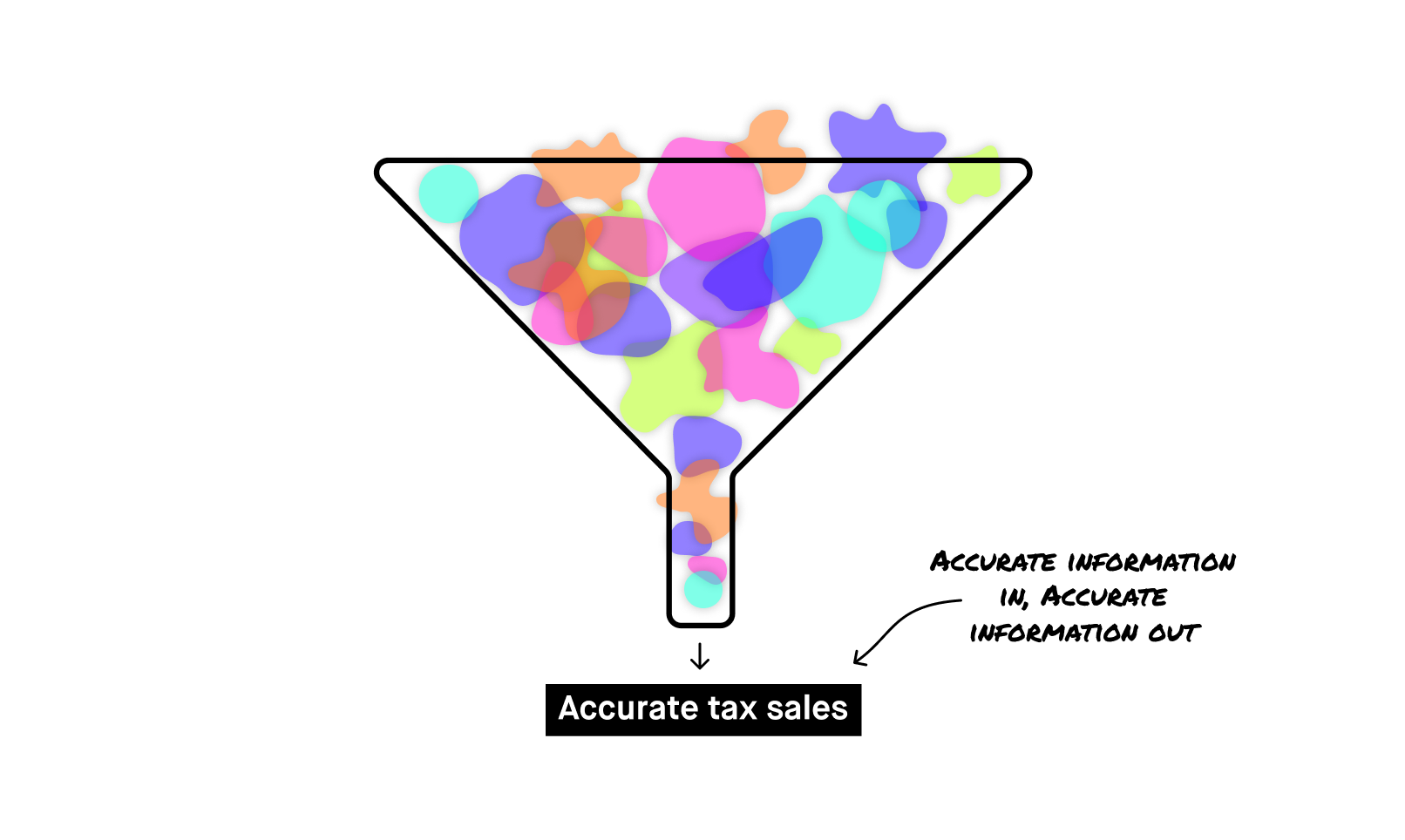
What you pour in is what you get out
Think of this as a funnel. All the complexity gets poured in and the outcome is an accurate report that tells you what to file to the state.
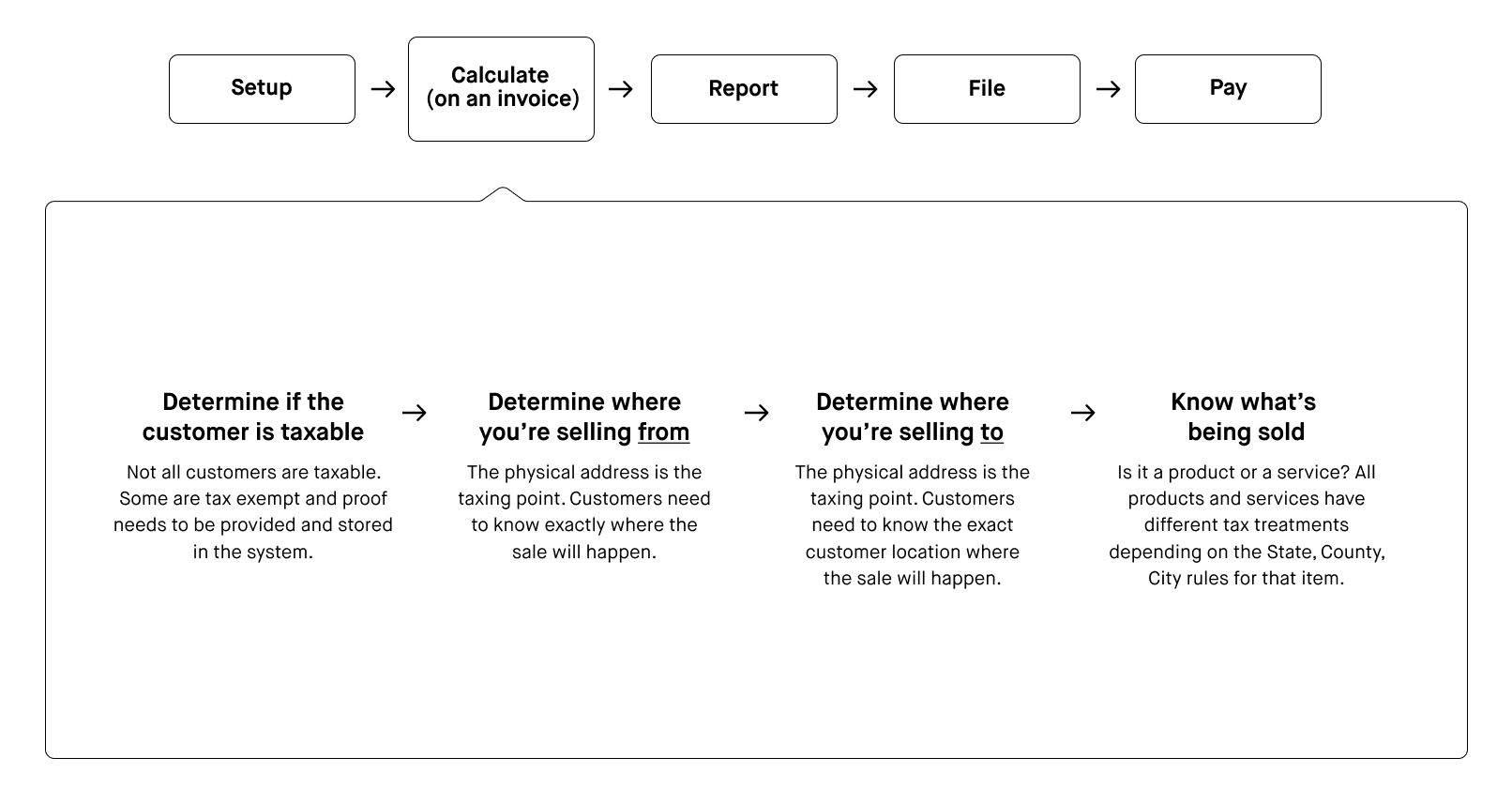
How to get accurate sales tax calculation
While I looked at the whole end to end experience. Let’s focus just on adding accurate to tax to an invoice.
Concept
Whats this look like in product?
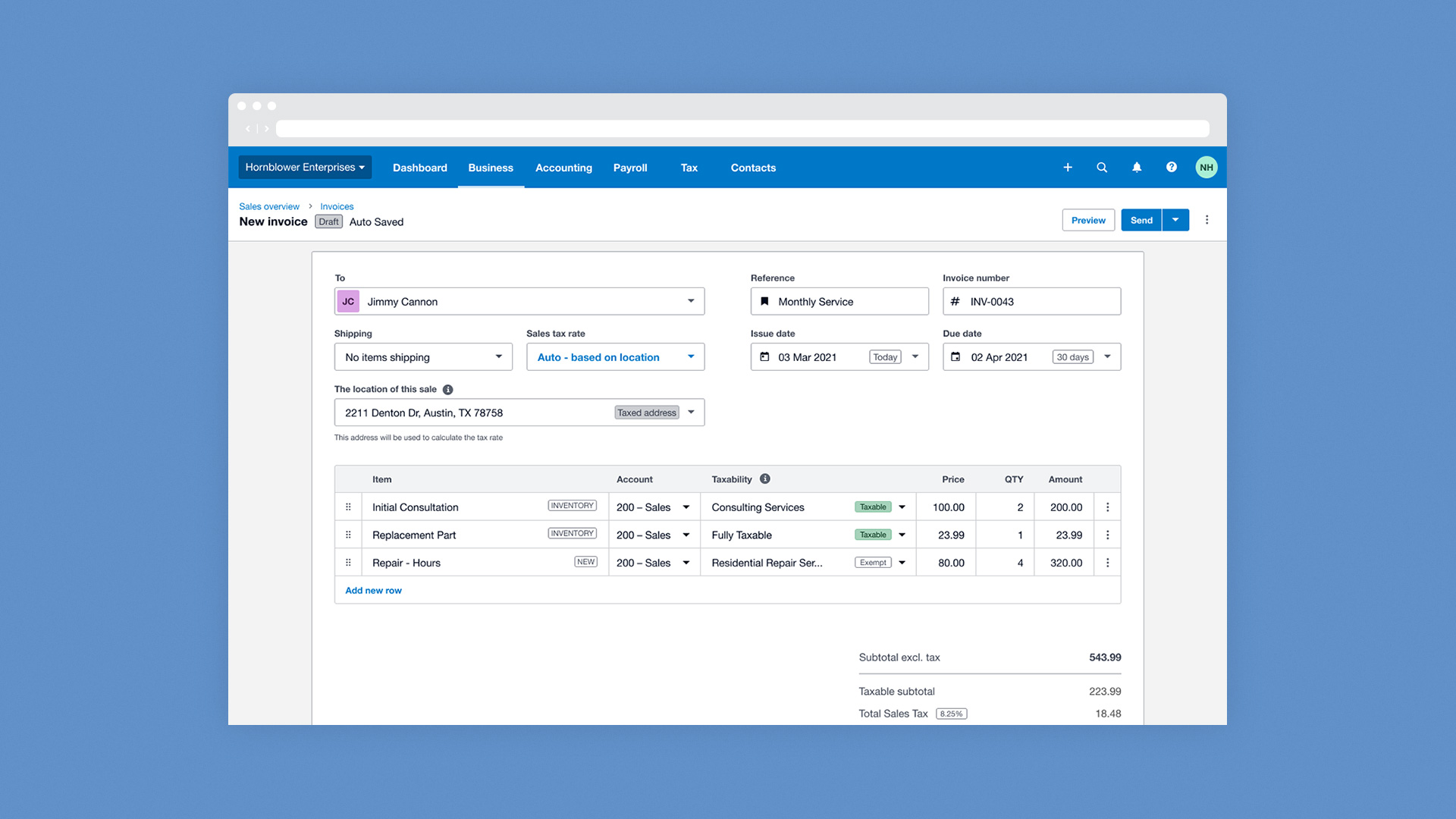
Let’s look at adding sales tax to an invoice
A regular testing cadence was developed and gave us the opportunity to test ideas to solve the complexity. This is one of the concepts tested.
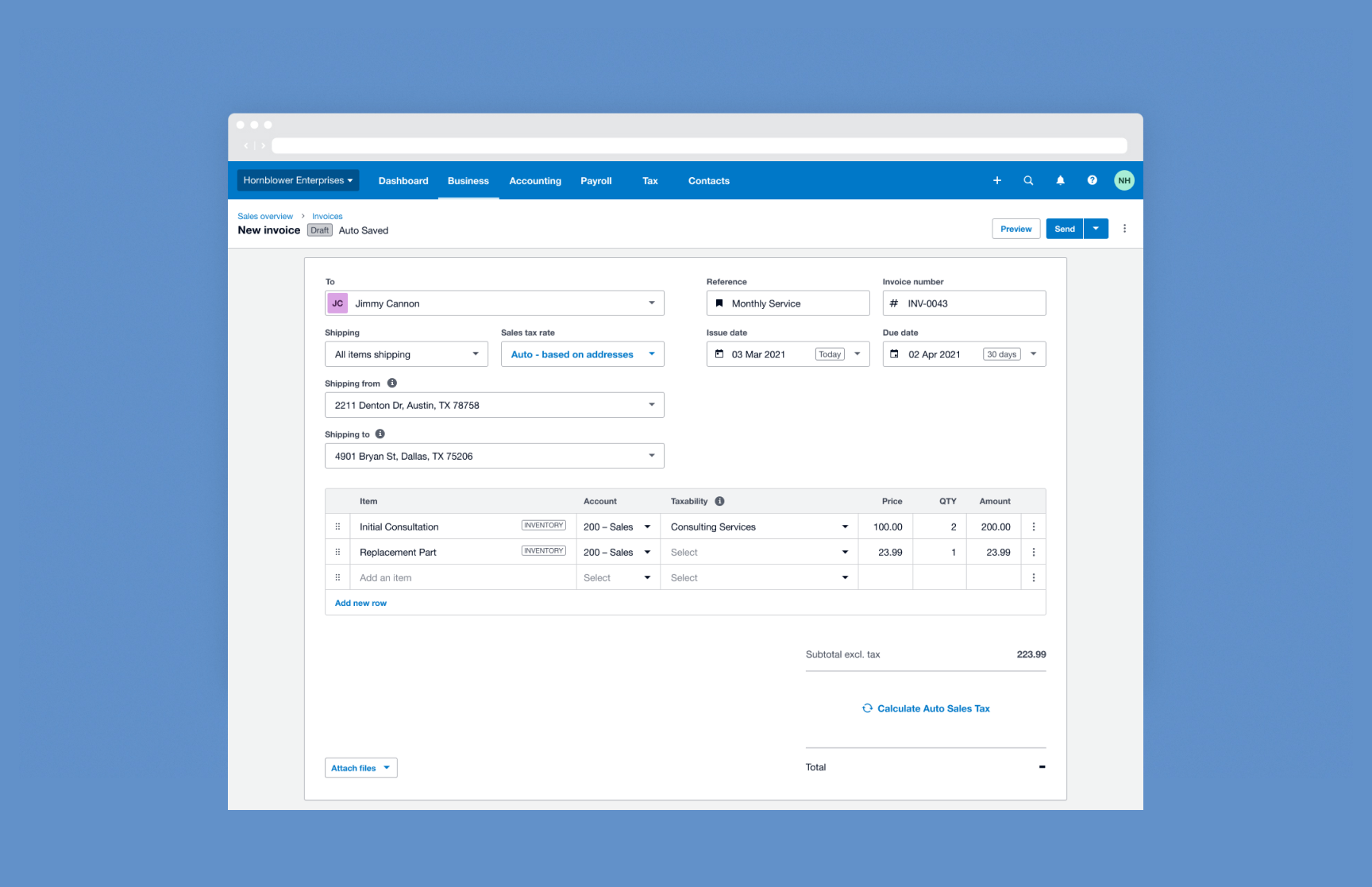
First you add the customer you’re selling to. In this case its a pre-saved customer from your contacts list. Both to and from addresses show.
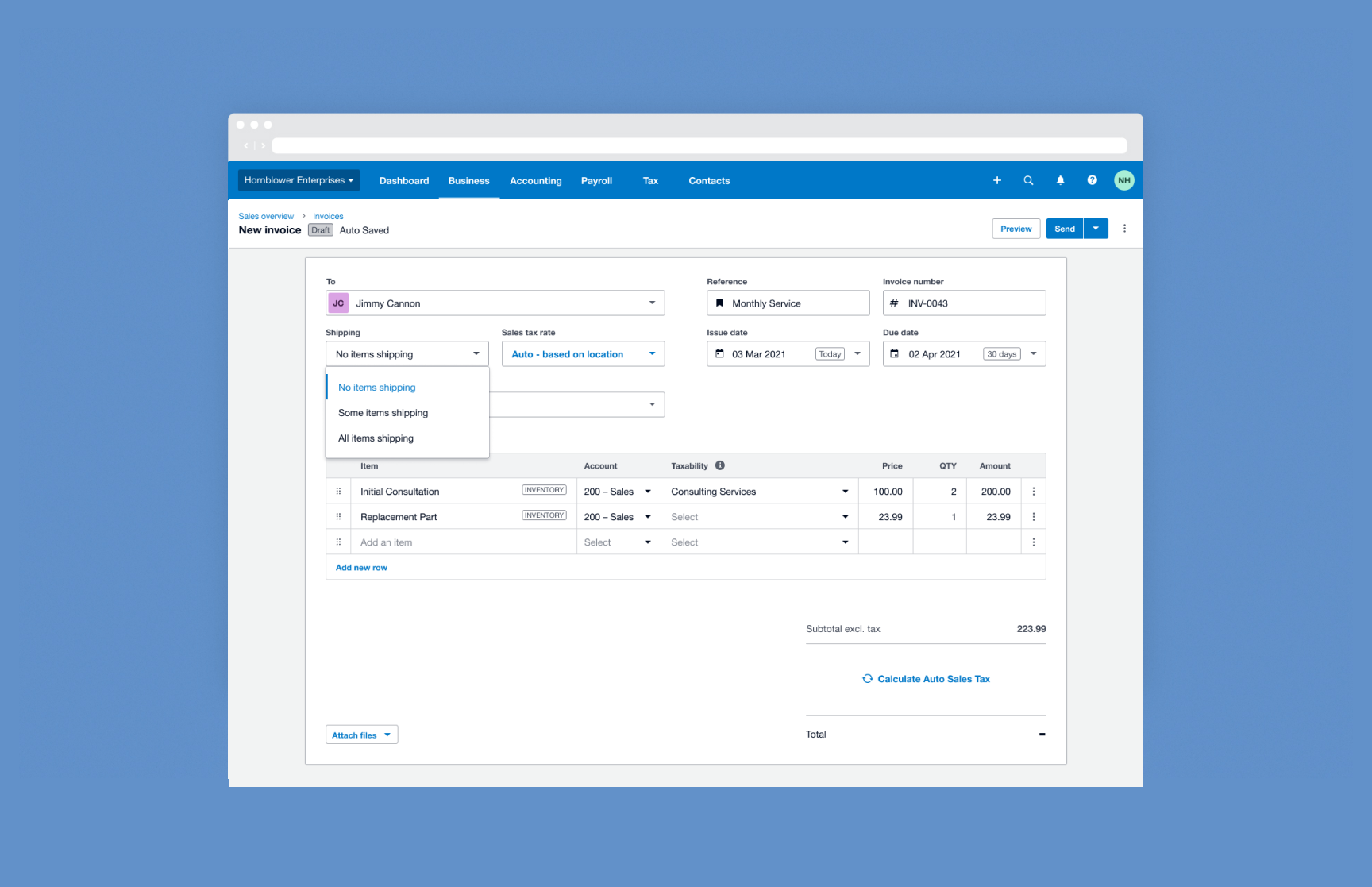
You’re not shipping anything this invoice so you choose no items shipping. Your shipping addresses change to Location of Sale, as it’s the physical location that’s taxed.
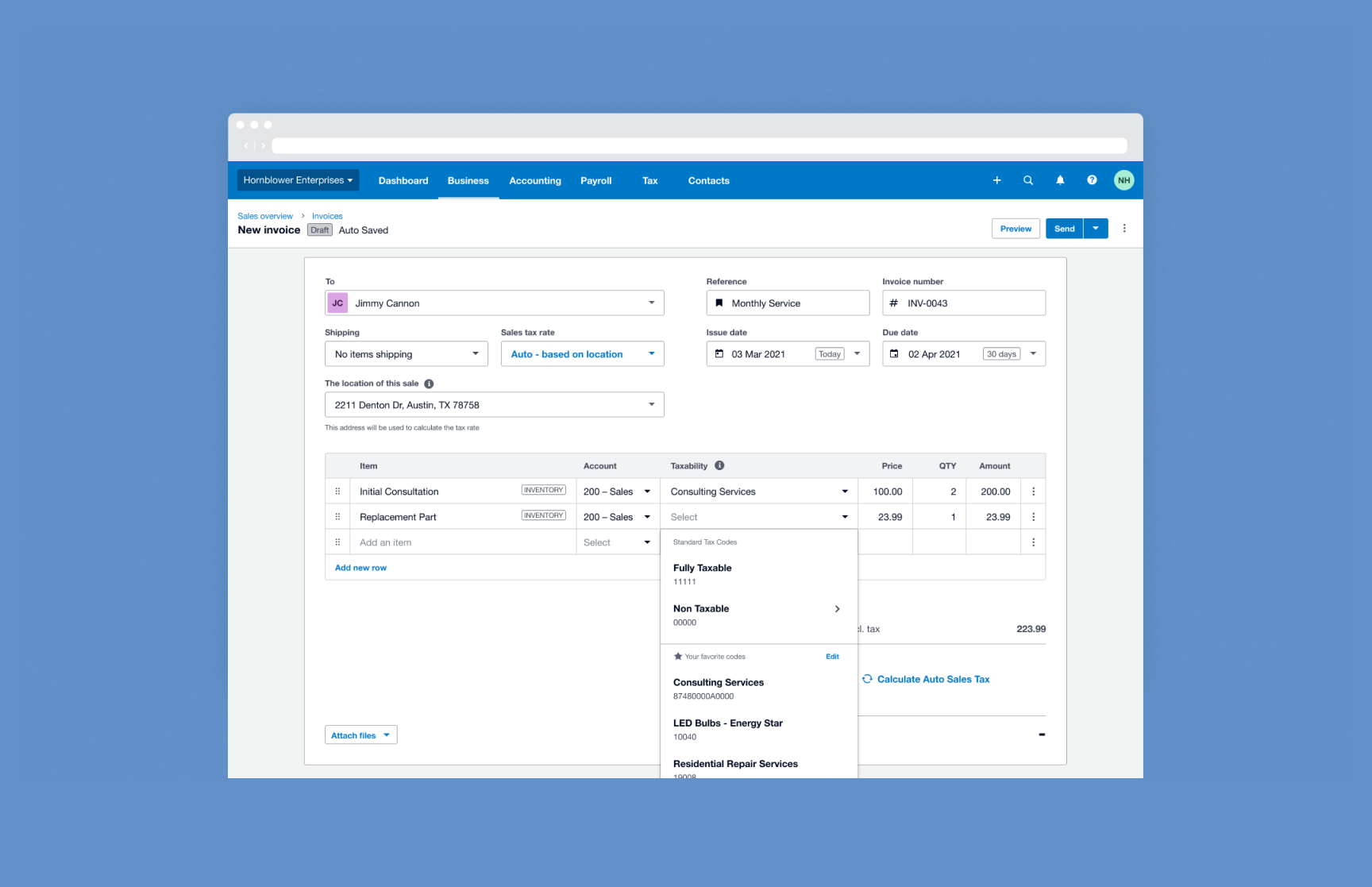
Adding a sales tax code. This stores all that taxability information about the item being sold. The tax code could also be saved to the item in Inventory.
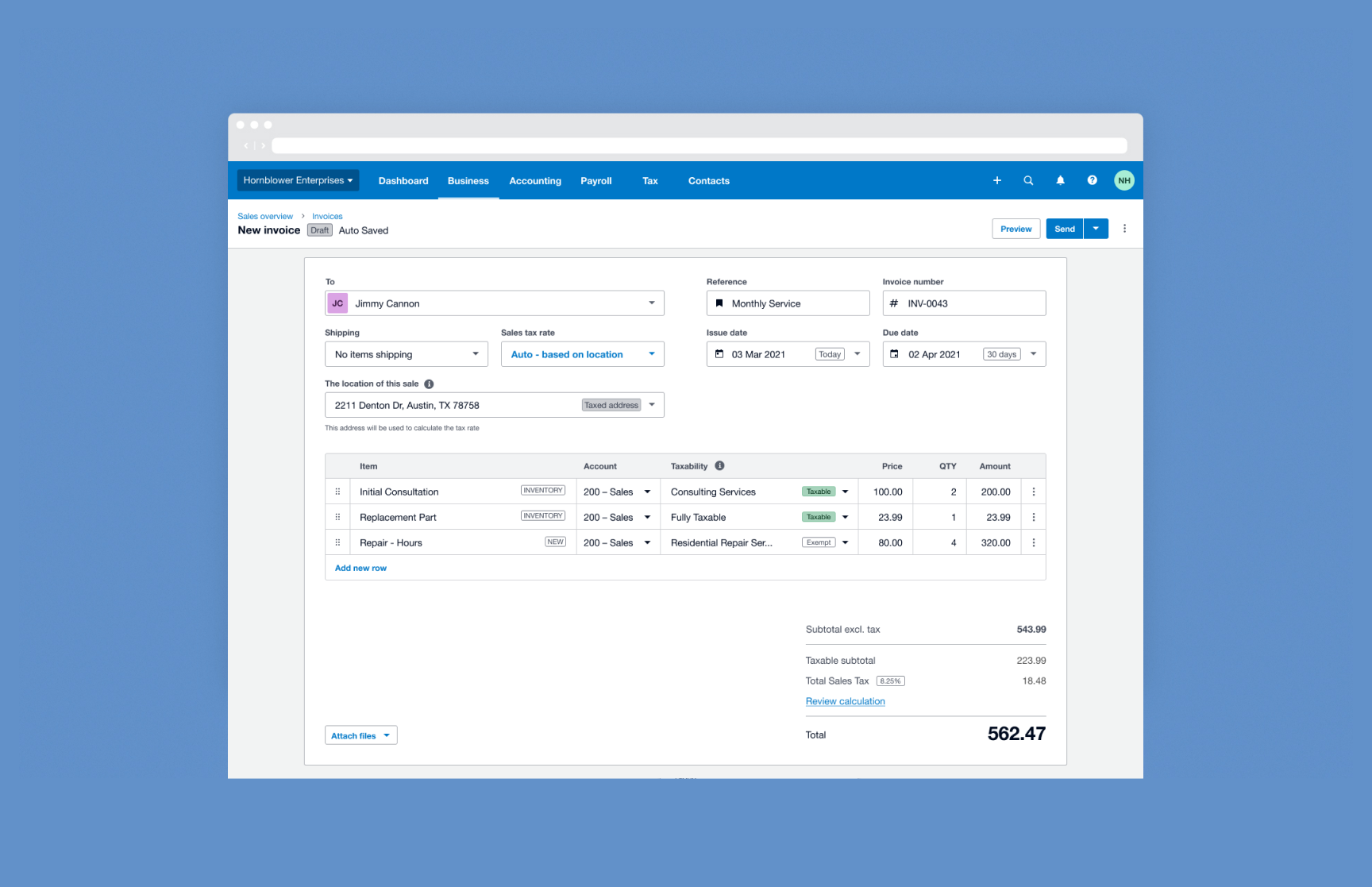
You complete adding your other items. You can now see the taxability of the items and the sales tax you will collect on the sale.
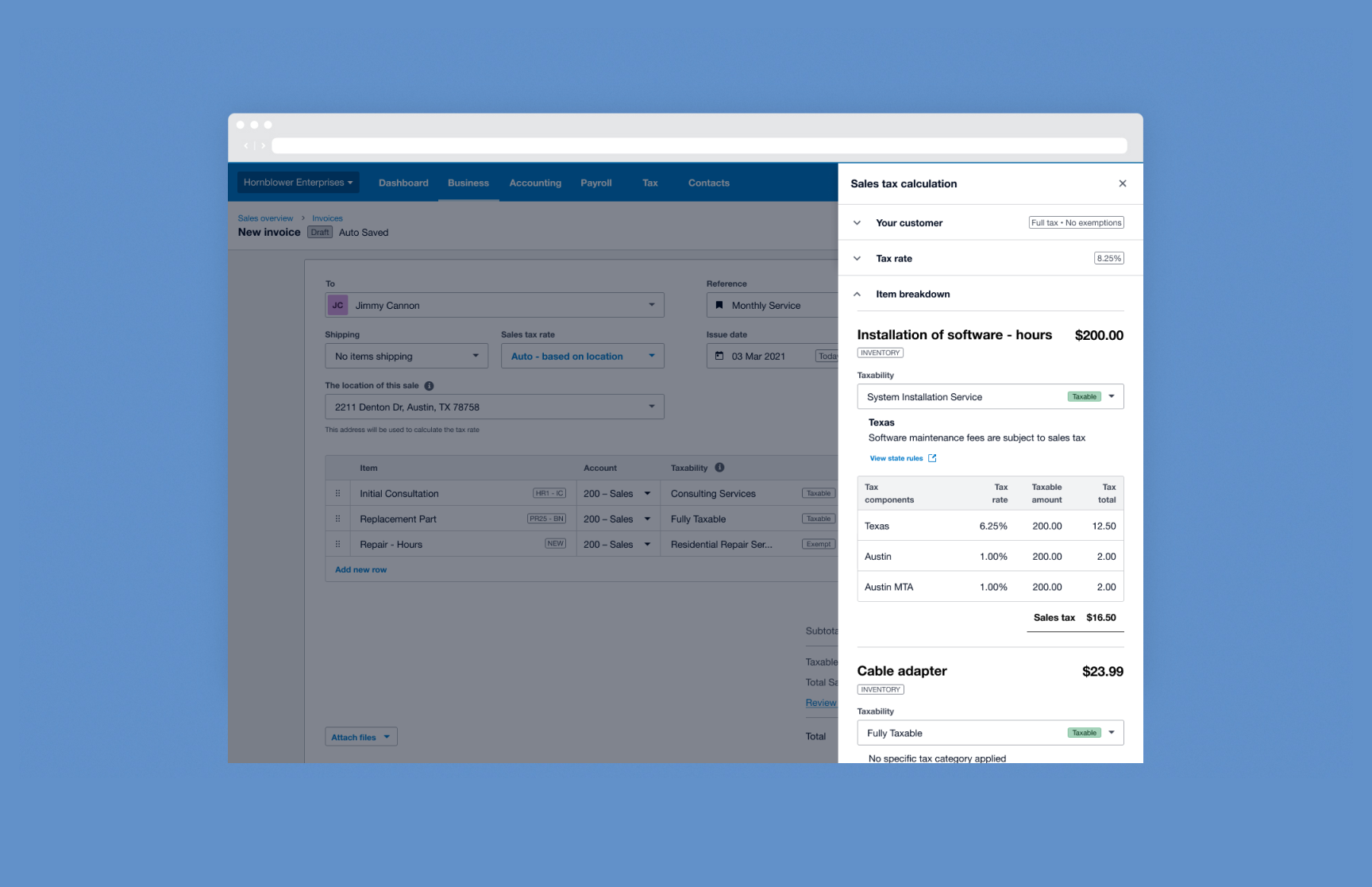
You can review the calculation to check that everything is correct. You can then send to your customer.
How did we get there?
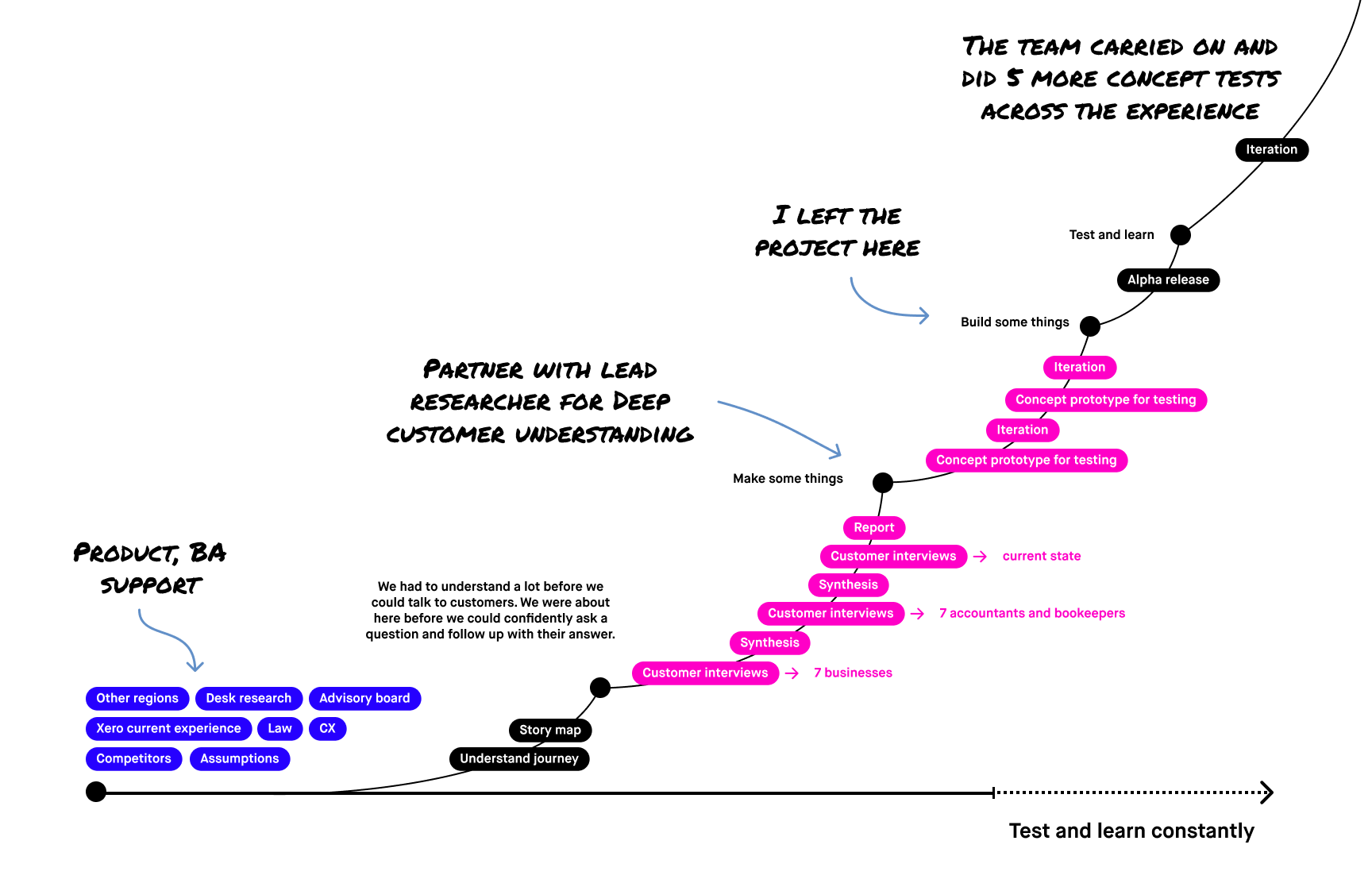
Climbing a mountain
This was a big project. Lots of work happened. A true partnership with the Lead Research made it easier. Here are some of the things the team and I did.
Outcome
This thing is a beast. A version of this has taken a long time to get to customers.
This all started with one engineering team and me the single designer aiming to set a vision for what this experience could and should be. From both a compliance perspective and the experience. There is a lot here I haven't mentioned due to commercial sensitivity. The project teams grew to around 6, with 4 designers. Probably what it needed at the start.